Blog · 2026-10-14 · 6 min read
How to Keep Your AI Character's Face Consistent Across Images
Ask any AI image generator for "a silver-haired girl with heterochromia" ten times and you'll get ten different girls. Each one might be gorgeous — but none of them is her. If you've ever tried to visualize a character you actually care about, you know this is the problem with AI image tools. This post explains why it happens, the three ways people solve it, and which one is worth your time.
Why every generation rolls a new face
Image models are trained to produce variety. Given the same prompt, the model samples from an enormous space of plausible faces — the randomness that makes them creative is exactly what makes them useless for recurring characters. Your prompt describes attributes (hair color, eye shape), but a face is thousands of micro-decisions the model makes fresh every time: the exact nose bridge, the lip curve, the spacing of the eyes. Text alone can't pin those down.
Approach 1: Train a LoRA
The power-user answer is to fine-tune the model itself: gather 15–30 images of your character, train a LoRA (a small adapter that teaches the model a new concept), and generate with it forever after. It works — it's how serious AI artists keep OC consistency. The catch: you need 15–30 consistent images to begin with (chicken and egg), a GPU or paid training service, comfort with tools like kohya or ComfyUI, and a few hours per character. For most people this is like buying a darkroom to print one photo.
Approach 2: Seed and prompt hacking
Fixing the random seed and reusing exact prompt wording reduces variance — in some tools, you'll get vaguely similar faces. But "vaguely similar" falls apart the moment you change anything that matters: a new outfit, a different camera angle, a scene instead of a portrait. The seed controls noise, not identity. This approach produces families of strangers who share a haircut.
Approach 3: Reference-based editing (what actually works for normal humans)
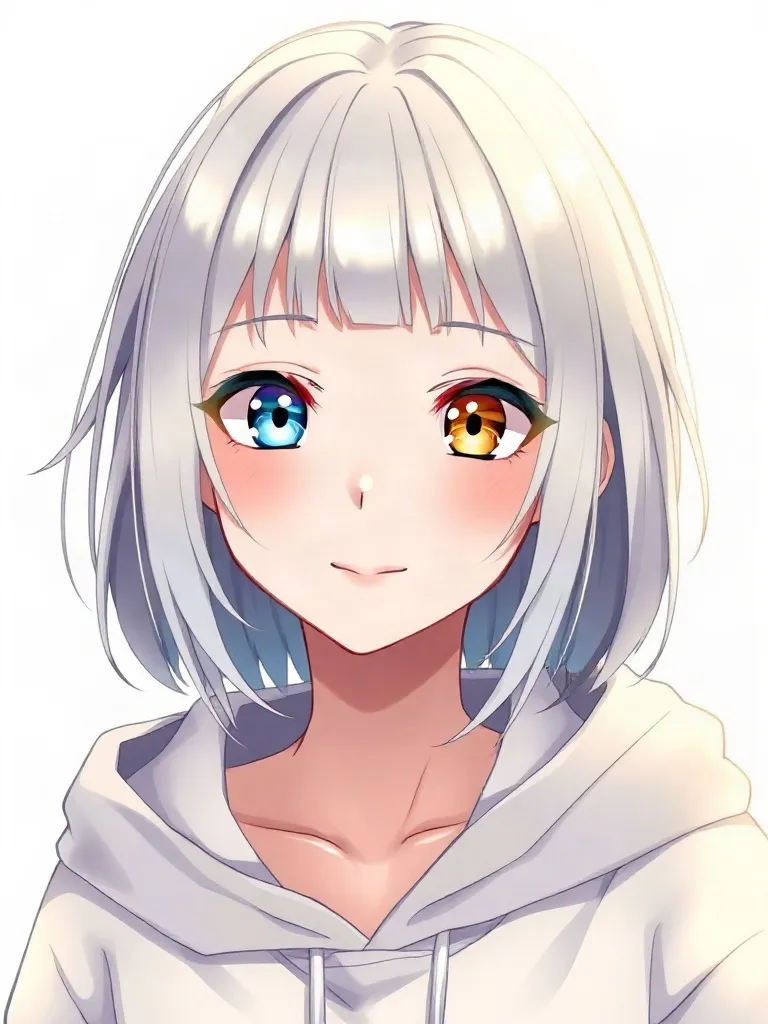
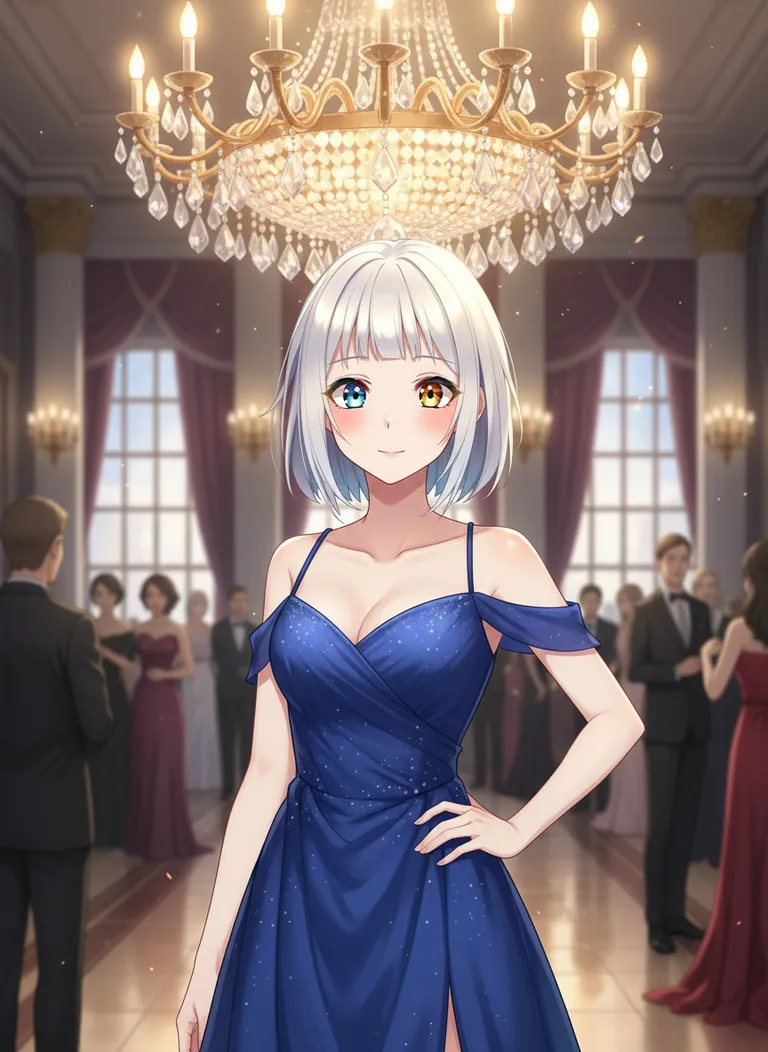
Newer multimodal models can look at a reference image while generating. Instead of describing the face in words and hoping, you hand the model the face itself: "the exact same character from this reference image, now at a beach at sunset." The model preserves identity from the picture — the same way a human artist uses a ref sheet — while re-imagining everything else. No training, no GPU, no hours of setup.
This is the approach CharPix is built on. The workflow is three steps:
- Describe your character — or paste the definition you wrote for them on another platform. Visual detail matters most: hair, eyes, build, style.
- Generate portraits until one clicks. This is the only step that takes taste rather than technique. When you see them, you'll know.
- Lock it. That portrait becomes your character's base image. Every generation after that sends the base as reference, so the face carries over — cyberpunk street, cozy café, wedding, battle scene. Same person, new life.

Tips for better consistency
- Choose your base portrait carefully. A clear, front-facing portrait with an unobstructed face gives the model the most to hold onto. You can re-lock a better one later.
- Repeat identity anchors in scene prompts. "...same silver hair and one blue, one gold eye" costs nothing and reinforces the reference.
- Change one thing at a time. New outfit or new style or new pose — not all three at once — when you want maximum fidelity.
Your character already exists — in your head, in months of conversation, in the definition you wrote. The only missing piece is a face that stays put. Start with 10 free images and see how it feels when the second picture is still them.
Try it on your own character
10 free images, no card required. Lock a face, keep it forever.
Start free